

Confirma NetBaron - Accounts Receivable and Accounts Payable





An Efficient and Automated Accounts Receivable and Accounts Payable System
Automated Invoice Processing and Payment Tracking
NetBaron makes invoice management effortless and significantly reduces manual work. Automated processes speed up invoice processing, leaving you with more time for your company’s most important tasks.
Easy Approval of Purchase Invoices and Flexible Invoice Management
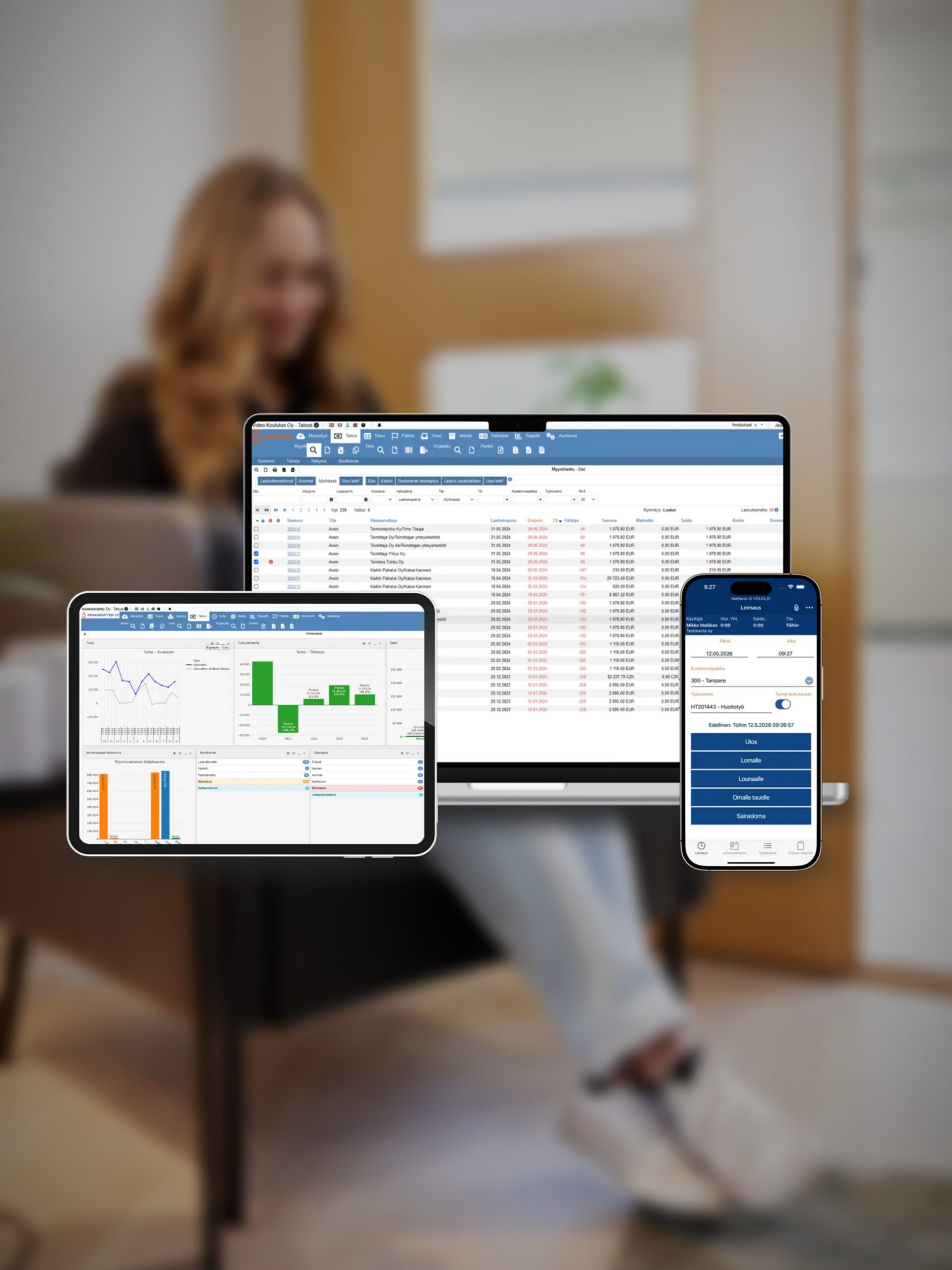
NetBaron makes it easy to review, approve, and pay purchase invoices - even on a mobile device.
Efficient banking connections and payment processing
NetBaron provides seamless connections to banks, making payment transactions easy and reliable.
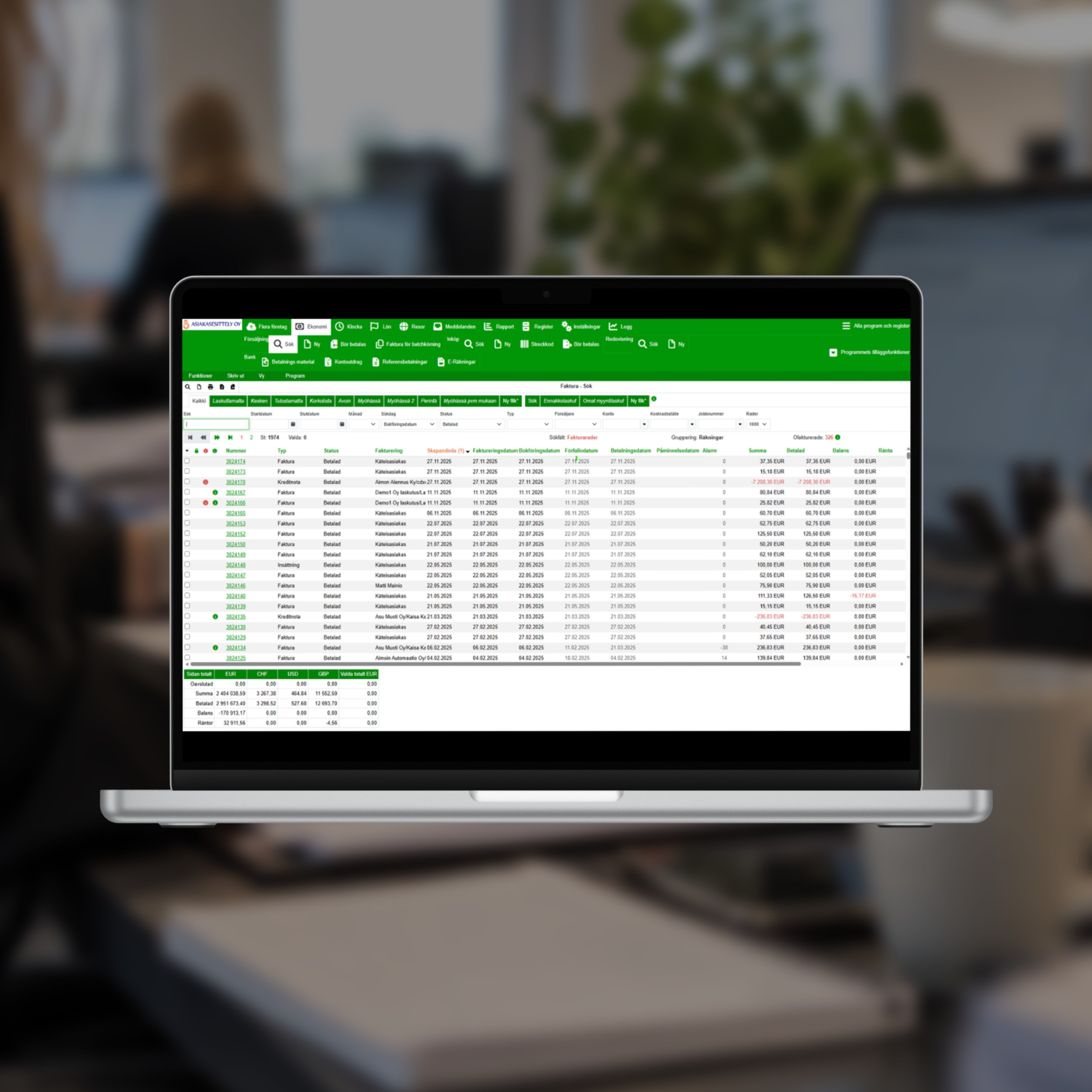
Accounts Payable and Accounts Receivable – Both Always Up to Date

Accounts Payable: Speed Up Invoice Processing
With NetBaron, processing purchase invoices is quick and easy. E-invoices, scanned paper invoices, and email invoices are sent directly to the system.
Accounts Receivable: Manage Your Payment Transactions with Precision
NetBaron makes invoicing and tracking incoming payments easy and automatic. Invoices can be sent directly as e-invoices, PDF files, or paper invoices. Payment reminders and collections can be automated.

Accrual Tool: Easy Invoice Processing
With the convenient posting tool, you can post sales and purchase invoices as well as journal entries in the system to the accounting records for the time period of your choice.

Secure banking connections right in the app
NetBaron's banking connections enable the automatic processing of payments, transactions, and account statements directly within the system.

Processing Purchase Invoices in the Mobile App
With NetBaron, you can manage your invoices even when you're on the go, as the mobile app lets you review, approve, and pay invoices from anywhere.
Features That Make Everyday Life Easier
Recurring sales invoicing is handled automatically
When it comes to recurring invoices, manual invoicing takes the most time. In NetBaron, recurring billing - such as rent and maintenance fees - is automated, so invoices are sent out regularly without any extra work. As one customer puts it: “With NetBaron, I can automate recurring billing, such as rent and maintenance fees, so that invoices are sent out regularly without any extra work.”
Allocation of Payments Without Manual Work
Manually matching payments to invoices is one of the tasks that NetBaron eliminates. Incoming payments are automatically allocated to sales invoices via the bank connection; the accounting records are kept up to date daily, and there is no need to manually update the data in the software, as all changes are immediately transferred to the accounting system.
Breakdown by Month and Year
Revenue and expenses can be allocated across multiple months and years, and the allocation tool covers sales invoices, purchase invoices, and journal entries alike. This ensures that the financial statements reflect each period exactly as it actually was.

Feature
Are you ready to automate your invoice processing?
Other Solutions for Efficient Financial Management
Accounting, financial statements, and auditing all in one system, along with automated processing of electronic bank statements.
Read moreAutomated processing of tax cards, income registry reports, and annual leave calculations.
Read moreOur accounting firm partners throughout Finland are financial management professionals who help you get the most out of NetBaron
Read moreBoth ledgers, one automated process
A modern accounts payable and accounts receivable system should reduce routine work in both stages of invoice processing. In NetBaron, purchase ledger automation begins as soon as an invoice arrives: e-invoices, scanned invoices, and manually entered invoices all end up in the same purchase ledger; approvals can be handled in the mobile app; and payments are forwarded to the bank via a built-in banking connection. In accounts receivable, invoicing, e-invoicing, and payment tracking are handled automatically, so incoming payments are automatically matched to invoices without any manual work. Together, these features turn invoice processing into a process that the company can monitor rather than perform, and every transaction is transferred directly to the accounting system.
Why do companies choose NetBaron?
Experience since 2003. User-friendly. Safe. Reliable. Automatic. Proven effective in independent comparisons.
Confirma NetBaron is modern financial management software that reduces manual work and provides a real-time view of a company’s finances. We automate the entire financial management process - from bookkeeping to reporting - so that company leadership can make better decisions based on up-to-date information. Our solution is easy to use, scalable, and secure. In short: less routine work, more control, and significantly better financial visibility - all in a single system.

Frequently Asked Questions
Need help?
Contact us
What do "purchase ledger" and "sales ledger" mean in NetBaron?
The accounts payable module handles incoming invoices from the time they are received and approved until they are paid, while the accounts receivable module manages invoicing and tracks incoming payments. In NetBaron, both functions operate automatically within the same system
How are purchase invoices received?
Electronic invoices, scanned paper invoices, and manually entered invoices are all automatically saved in the same accounts payable ledger.
Can invoices be approved on a mobile device?
Yes. With the mobile app, you can review, approve, and pay invoices from anywhere.
In what formats can sales invoices be sent?
Invoices can be sent directly as e-invoices, PDF files, or paper invoices, depending on the customer's needs.
Can recurring billing be automated?
Yes. Recurring billing, such as rent and maintenance fees, is handled automatically, so invoices are sent out regularly without any extra work.
How does the bank connection work?
Payments and bank statements are processed automatically within the system. This ensures that payment transactions are smooth and reliable and that incoming payments are correctly matched to the appropriate invoices.
What is an accrual tool?
A tool for allocating sales invoices, purchase invoices, and journal entries to the desired accounting period. Revenue and expenses can be allocated across multiple months and years.
Are the ledgers reconciled with the accounting records?
Yes. You don't need to manually update the data in the software; all changes are immediately reflected in the accounting records, so the accounting records remain up to date on a daily basis.
Is this system suitable for accounting firms?
Yes. The ledgers are part of the same NetBaron system that accounting firms use to manage multiple companies. All clients can be managed with a single login.
How much does the solution cost?
Pricing is based on the size and needs of your business. Contact us to request a quote or schedule a free demo to explore the system first.
Contact Us
8b083348-6c19-4f94-8322-b3bdbd6fbe56
1c9dcd51-514f-4103-b1b2-48ccb1ba2a39
3d13b184-c371-4085-bfc4-4bbf8ed7701d
NetBaron
