
Point-of-Sale Solutions for Restaurants and Cafes





Software for Cafes and Restaurants - What Should You Compare?
The requirements for point-of-sale systems in cafes and restaurants vary depending on the service model. In a café with counter service, fast order processing and payment are key, whereas a restaurant with table service requires, for example, table and order management, as well as the ability to send orders directly from the register to the kitchen screens. In addition, inventory management, reporting, and managing multiple locations can be an important part of the overall system.
What matters is not just comparing individual functions, but how they work together. When orders, inventory management, and payments are part of the same system, information flows smoothly, and staff don’t have to enter the same data multiple times.
Confirma's solutions are based on over 30 years of experience in the Finnish restaurant industry. Our experts will help you build a software solution tailored specifically to your restaurant.
Are you looking for a smoother way to run your restaurant or café?
Point-of-sale solutions for various café and restaurant concepts
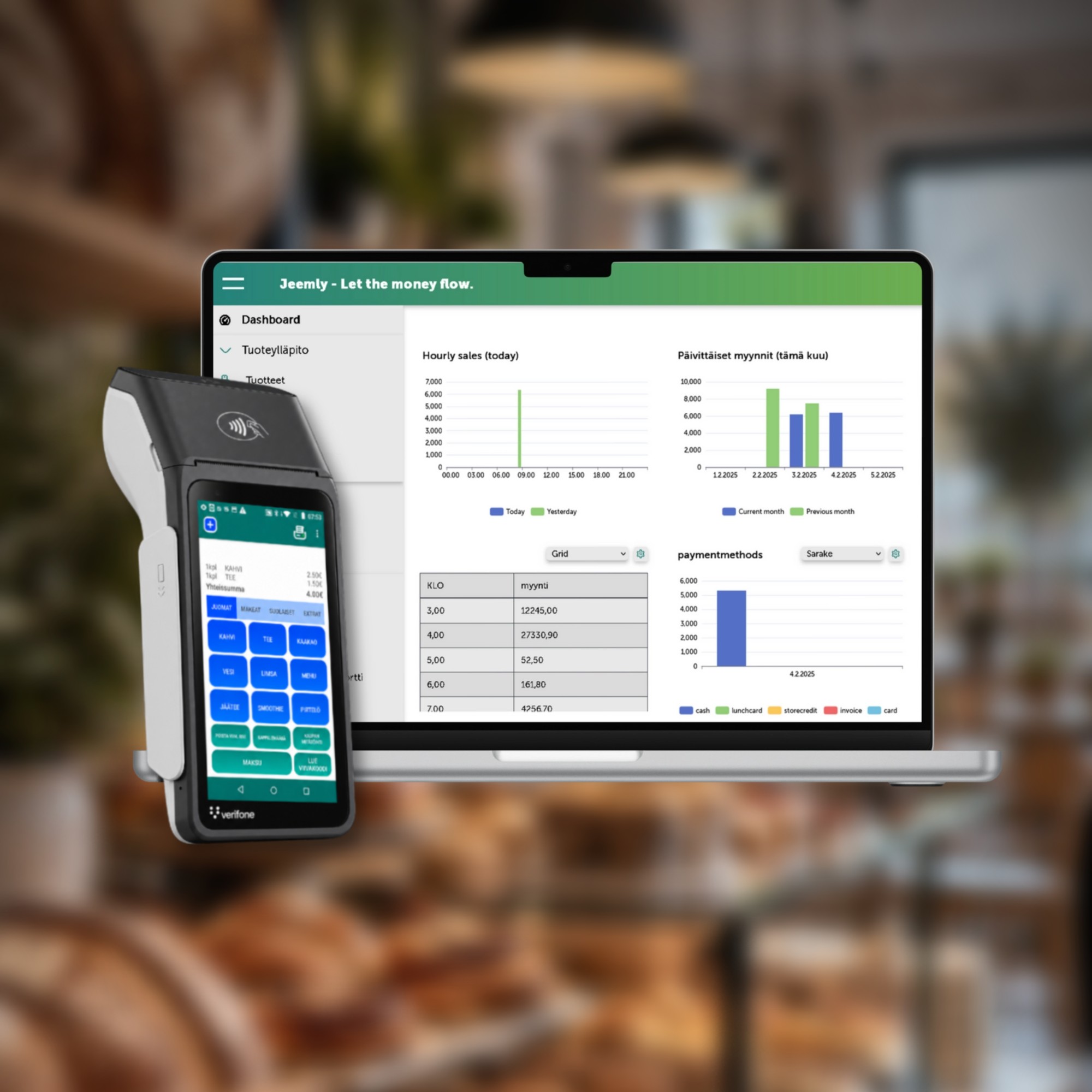
Confirma Jeemly
A versatile point-of-sale system for various types of restaurants - take orders at the table or at the register, send information directly to the kitchen, and keep table bills under control.
- Make sales and accept payments at a table or at the register
- Forward orders to the kitchen displays and printers
- Manage table bills and split bills
- Manage recipes and the inventory of food and beverage items by serving size
- Take advantage of pricing based on time and customer segment
- Financial Management Integrations and Supply Chain Management
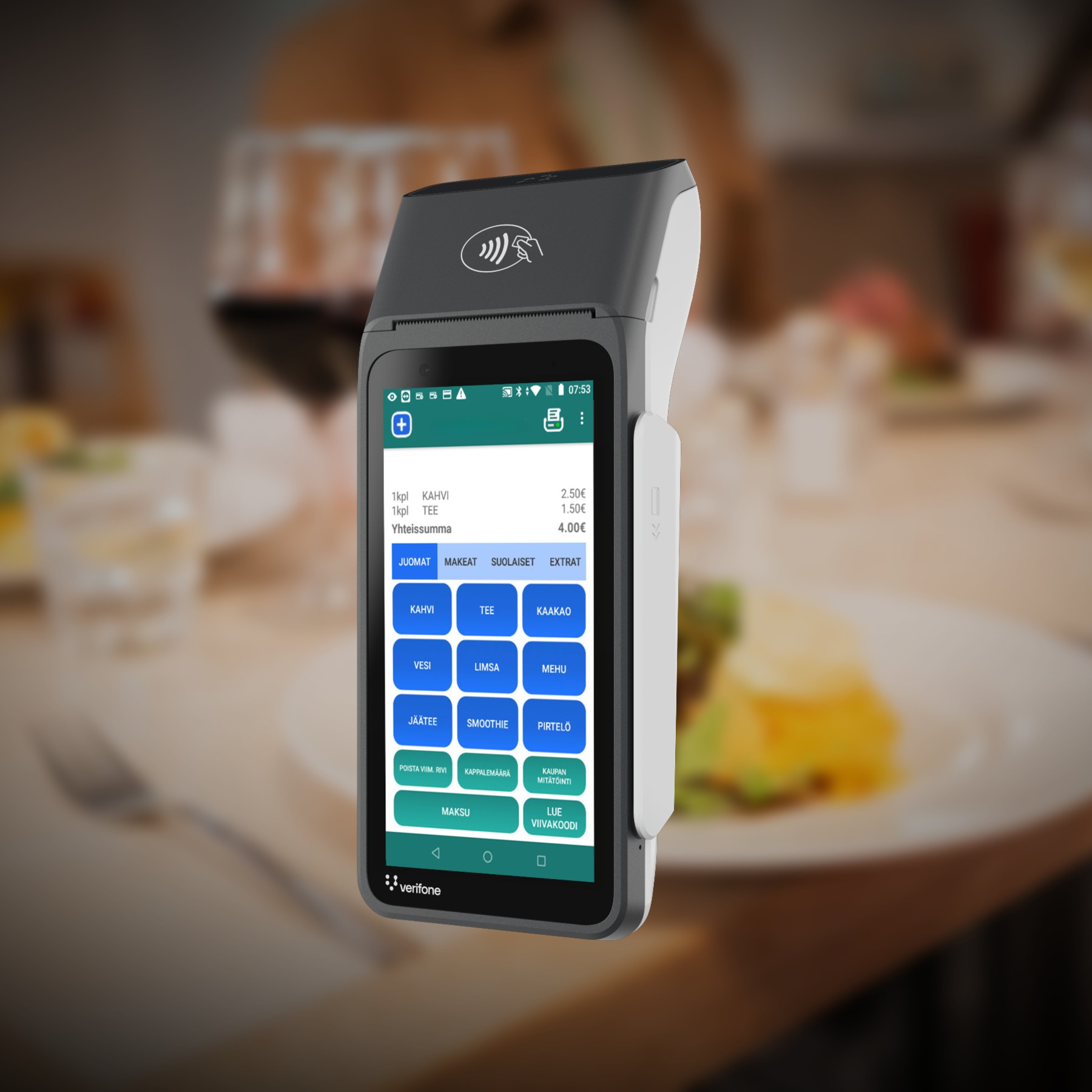
Confirma Jeemly Move Mobile Wallet
The agile mobile POS works both as a standalone cash register and as an additional point-of-sale terminal carried by a server as part of a larger restaurant POS system.
- Receive orders and payments directly from customers
- Split the bill among the people at the table
- Print a receipt in seconds
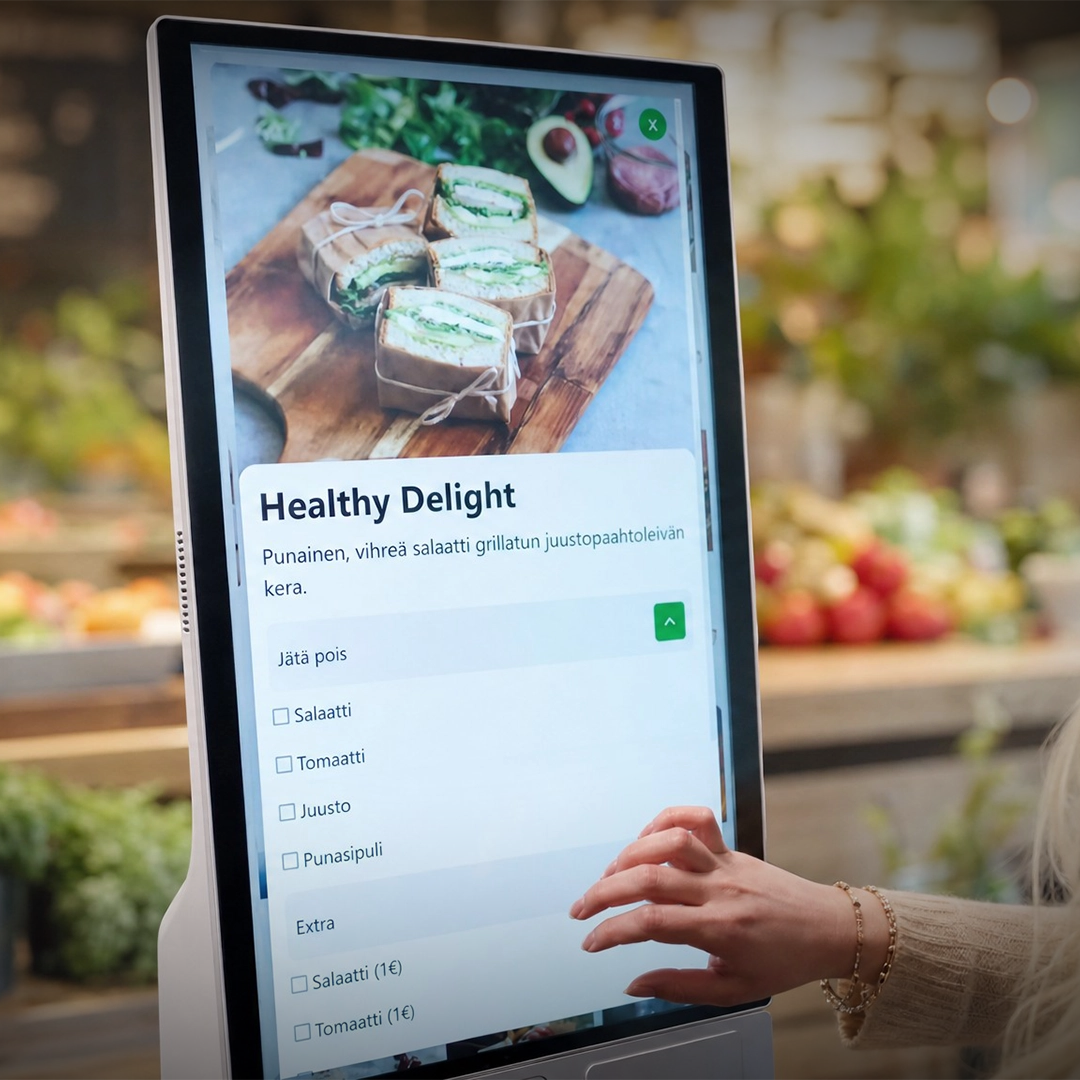
Self-checkout registers
Offer your customers the opportunity to place their orders and pay at a self-checkout - quickly and smoothly, even during the busiest times.
- Speeds up ordering and payment
- Reduces checkout lines
- Particularly suitable for restaurants and cafes with high customer volume
What do different point-of-sale systems do?
What is a café point-of-sale system?
The café's point-of-sale system is designed for fast counter service. Key features include fast order processing and editing, payment processing, compact hardware, and automatic reporting. Rather than table charts or kitchen order routing, the most important factors are
speed, ease of use, and a user interface that even seasonal employees can learn quickly.
What is a restaurant point-of-sale system?
The restaurant's point-of-sale system supports the entire ordering process. Orders can be taken at the table or at the register; the bill follows the customer and can be split among the party. Orders can be sent from the register directly to kitchen monitors or printers at the appropriate workstation.
What other features might a restaurant's point-of-sale system include?
The POS system can be enhanced with features that support restaurant operations, such as recipes, dish-specific inventory management, purchase order management, supplier integrations, reporting, and multi-location chain management. In Jeemly, these are not separate systems but rather part of the same integrated solution as the POS functions. Sales data can be automatically transferred to financial management systems commonly used in Finland.
Our References



Other solutions to support your business
Get a deeper look into your restaurant's sales by restaurant and by register in real time - even down to the product and receipt level, if needed.
Read moreAttract customers during slower periods and increase repeat purchases through marketing campaigns led by an expert.
Read moreKey Features to Consider When Choosing a Point-of-Sale System
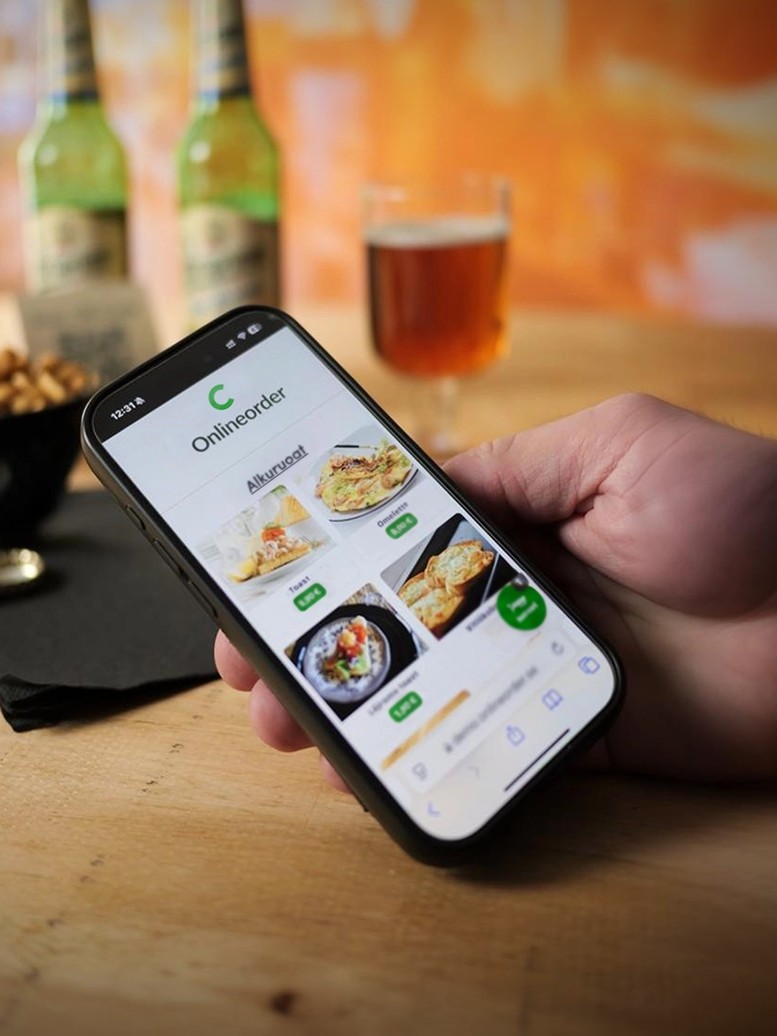
In counter service, the focus is on fast order processing and product customization, whereas in table service, key aspects include managing table bills and splitting the bill among party members. Loyalty programs help reward regular customers, online ordering provides a new sales channel, and comprehensive reporting helps monitor the restaurant’s operations. It is essential that the various functions utilize the same data and work seamlessly together.
How to Choose the Right Point-of-Sale System
Above all, choose a point-of-sale system based on your own service model. For counter service, the focus is on the speed of ordering and payment, as well as ease of use. In a table-service restaurant, important features include mobile ordering and payment at the table, as well as the ability to send orders directly to the kitchen. For businesses with multiple locations, on the other hand, centralized management and chain-wide reporting are key.
When setting up a new restaurant, it’s important to consider the big picture right from the start. When the point-of-sale system, payment processing, necessary additional features, and financial management integrations are designed to work together, there’s no need to build the system piece by piece after operations have already begun.

Questions and Answers
Need help?
Contact us
What is the difference between a restaurant point-of-sale system and a restaurant management system?
The point-of-sale system handles the restaurant’s daily sales, such as orders, payments, and table bills. Operations management includes, for example, purchasing, reporting, recipes, and managing multiple locations. In Jeemly, these are all part of the same integrated system, so there’s no need to integrate separate systems with one another.
What features should a café's point-of-sale system have?
In a food service setting, it is important to have fast order processing and editing, smooth payment, compact equipment, automatic reporting, and ease of use. The point-of-sale system should be so intuitive that even a new employee can get up to speed quickly.
What features should a restaurant POS system have?
Useful features for table service include table bill management and splitting bills, taking and paying for orders via mobile devices at the table, and forwarding orders to kitchen displays and printers. In addition, features such as flexible pricing, reporting, financial management integrations, and multi-location management can be utilized as needed.
How are orders sent from the register to the kitchen?
An order received at a table or at the register can be sent directly to the appropriate kitchen display or printer. There is no need to re-enter the order; the same information is transmitted from the register to the kitchen as part of a unified ordering process.
Can customers place orders and pay on their own?
Yes. With QR code-based table ordering, customers can place their orders themselves at the table, and the order is forwarded directly. OnlineOrder also enables self-service ordering online. The same products and prices are available as in the point-of-sale system.
How does inventory management by batch work?
Recipes can specify the exact amount of ingredients used for each serving of food or drink, down to the centiliter. When a sale is made, the inventory balance is updated to reflect the consumption. Inventory counts can be conducted via mobile devices without having to close the location.
Does the system support multiple locations?
Yes. Products, prices, and reporting can be managed centrally, and up-to-date figures can be viewed both by location and at the chain-wide level.
Is this system suitable for a new restaurant?
Yes. The point-of-sale system, payment processing, necessary additional features, and financial management integrations can be set up as a fully functional system right from the moment the restaurant opens. Staff can also learn how to use the system even before the grand opening.
How to choose a suitable cash register system?
Start by considering your restaurant or café’s service model and needs. Counter service emphasizes speed and ease of use, while table service often requires features such as table and bill management, as well as mobile ordering and payment. Jeemly can be supplemented with various features as needed, so the system can grow along with your business.
Contact Us
8b083348-6c19-4f94-8322-b3bdbd6fbe56
1c9dcd51-514f-4103-b1b2-48ccb1ba2a39
3d13b184-c371-4085-bfc4-4bbf8ed7701d
Restaurants
Jeemly
