
One repair shop software solution for all your daily repair shop needs





Repair Shop Software—What Should You Know When Choosing a System?
Good repair shop software supports both the repair shop’s day-to-day operations and business management. In addition to scheduling, work orders, and vehicle information, the same system can be used to manage, for example, spare parts, purchases, inventory, invoicing, and financial management. When the system works as a whole, information flows from one work stage to the next, and the same data does not need to be entered multiple times.
Confirma Quick3 is a browser-based repair shop software that brings all these functions together. Work flows from scheduling to work orders, spare parts, and invoicing—all within the same system. Vendor integrations, inventory management, and financial management are all part of the same system, so the day-to-day operations and business of the repair shop can be managed from a single location. Quick3 is ideal for auto repair shops, machinery maintenance facilities, and spare parts stores that want to streamline their daily operations and keep critical business data in a single system.

Do you want to streamline your repair shop's daily operations?
Software for repair shops and auto parts stores
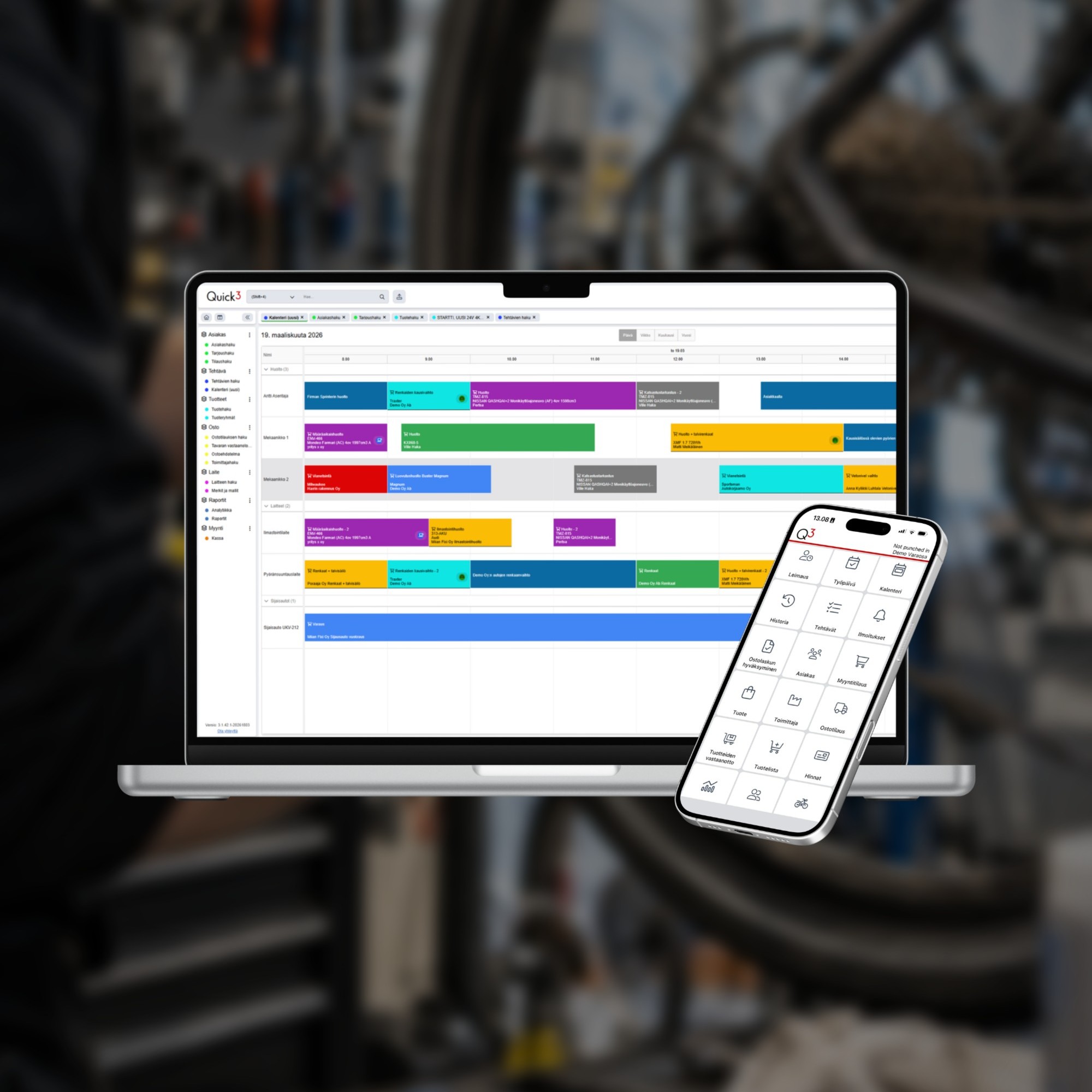
Confirma Quick3
Repair Shop Software — work orders, spare parts, and financial management all in one system.
- Resource Calendar and Work Order Management
- Service History and Traffic Inquiries
- Spare Parts Inventory and Supplier Catalog Integrations
- Billing directly from approved work orders—including split billing
- Cashier Functions
- Mobile app
- Start, Professional, and Enterprise Plans
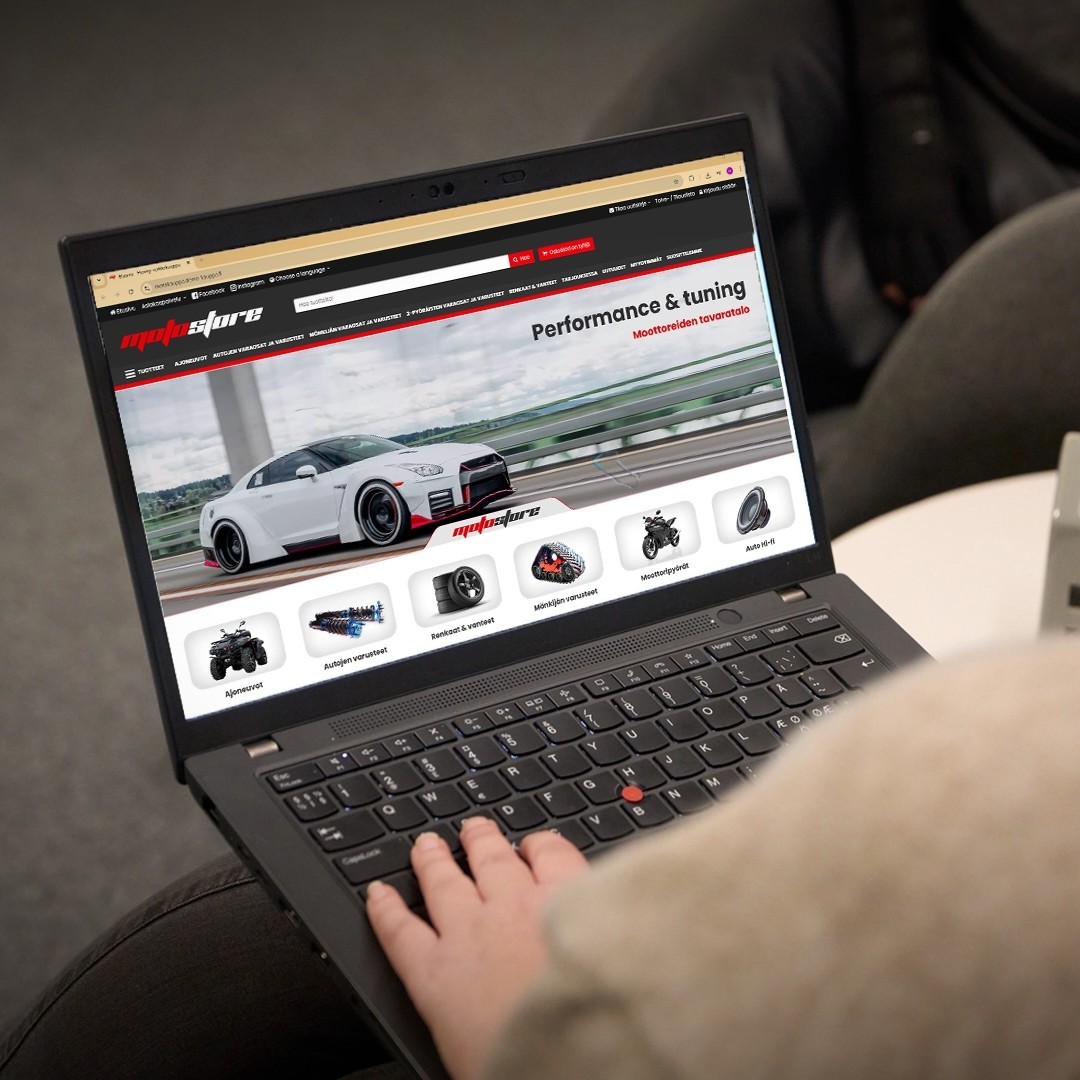
Confirma Flowvy
Sell spare parts and accessories online from the same warehouse as in the store.
- The online store draws on an up-to-date inventory of replacement parts
- AI-Enhanced Product Information for Extensive Product Lineups
- Online orders are included in the same sales process as in-store sales
- Search Engine Optimized
Key Features of Day-to-Day Life at a Repair Shop
Work Assignments and Supervision
A work order consolidates all maintenance-related information: the appointment, vehicle details, time spent on the job, and replacement parts. With the Quick3 mobile app, a technician can document maintenance work with photos, and management can view the status of technicians and repair locations in the resource calendar. When a work order is marked as complete, an invoice is generated based on that information without the need to re-enter the same data.
Spare Parts Management and Ordering
Spare parts have a direct impact on a repair shop’s profitability. Quick3 helps keep your spare parts inventory up to date and streamlines the procurement of spare parts through supplier integrations. You can view suppliers’ inventory levels and prices, and easily access their product catalogs. The price list manager automatically handles price updates, reducing manual work and errors.
Billing, Approvals, and Reporting
The invoice is generated based on the completed work order, so the work performed and spare parts used are automatically included in the invoice. This data is also integrated into financial management, and
the reporting features allow you to track, for example, jobs, work hours, and spare parts margins without the need for separate spreadsheets.
Split Billing
For collision repairs and warranty work, the costs of the same job can be split among multiple payers. In Quick3, an invoice can be split, for example, among the customer, the insurance company, and
the company. This way, the same work order can be billed to different payers without any separate manual processing.
Vehicle Data Using Trafia
There is no need to enter vehicle information manually. With Quick3’s Traficom registry query, vehicle information is retrieved directly into the work order and saved as part of the vehicle registry.
The repair shop’s own maintenance history is updated automatically with each visit
Companies that trust Confirma



Other Solutions to Support Day-to-Day Operations at the Repair Shop
How to Choose the Right Repair Shop Software
When choosing workshop management software, it’s important to consider the range of features and how easy it is to use on a day-to-day basis. The best system is one that is easy for technicians to use in their daily work and that also provides the necessary tools for work management and financial administration. Rather than just looking at a list of features, it’s worth examining how well the system supports the repair shop’s practical workflows.
The size and needs of the repair shop also influence the choice. For a small repair shop, a clear, comprehensive solution covering key functions may be the most important factor, whereas as operations grow, more users and additional features are needed. With Quick3, the package is selected based on the number of users, and the system can be expanded with additional features as needs change. This way, Quick3 grows with the business without the need to switch systems.

Frequently Asked Questions
Need help?
Contact us
What is an ERP system for an auto repair shop?
An ERP system for auto repair shops—also known as repair shop software—helps manage the shop’s daily operations and business activities. Quick3 is designed specifically for the needs of the auto repair industry and supports the entire process, from scheduling service appointments to invoicing completed work.
How do work orders, spare parts, and invoicing come together to form a single workflow?
All information related to maintenance work is recorded on the work order: time spent, replacement parts, and documentation. When the work order is marked as complete, an invoice is generated based on that information. This way, the same information flows from scheduling to invoicing without having to be re-entered.
Can the same bill be split between the customer and the insurance company?
Yes. In Quick3, an invoice can be split among the customer, the insurance company, and the business, if necessary. This allows a single work order to be billed to multiple payers, and each payer is assigned its own receivable.
How do supplier catalog integrations work in the repair shop software?
From Quick3, you can go directly from a work order to a supplier’s product catalog, where you can search for and select the necessary replacement parts and services. Your selections are transferred back to the work order in Quick3, which speeds up the processing of replacement parts and reduces manual data entry. Contact us for more details on compatibility with the suppliers and product catalogs you use.
Can the system automatically retrieve vehicle information?
Yes. Quick3 retrieves vehicle information directly into the work order via a Traficom registry query. The repair shop's own maintenance history is updated in the same system with each service visit.
Can technicians use the system on their phones at the repair shop?
Yes. With the mobile app, you can document work orders with photos and handle the receipt, picking, and inventory of goods right where the work is being done.
When should you choose the Start, Professional, or Enterprise package?
The appropriate Quick3 package is selected primarily based on the number of users. All packages include the core functions of a repair shop, and the system can be supplemented with additional features to meet your specific needs. This allows Quick3 to grow with your business without the need to switch systems.
Is Quick3 also suitable for auto parts stores, or is it only for repair shops?
Yes. Inventory management, supplier integrations, and point-of-sale functions also meet the needs of spare parts retailers. With the Flowvy online store, you can also sell the same products online.
How much does repair shop software cost?
The price of Quick3 depends on factors such as the number of users and the selected add-on features. Contact us to receive a quote tailored to your company's needs.
Contact Us
8b083348-6c19-4f94-8322-b3bdbd6fbe56
Repair and service
Quick3
